Before Introduction to VMware
Learn the basics of virtualization and VMware's ecosystem.
Welcome to the VMware Journey
Hi Tech Friends!
Before we start learning VMware, let's take a quick look at the path that leads us to VMware.
Many people jump directly into virtualization without understanding the basic journey behind it. But when you know how computers evolved, how servers came into the picture, and why virtualization became necessary, VMware becomes much easier to understand.
In this tutorial, I’m going to share a simple story inspired by imagination and my own real-life experience. We’ll follow the journey of Tamil, a student who first touched a computer in college and gradually grew into a VMware professional.
So, grab a cup of coffee and join me as we begin this exciting tech journey—from a single computer to enterprise virtualization.
Tamil's First Introduction to Computers (2014)?
In 2014, when Tamil joined the first year of his B.E. Computer Science Engineering course, his father bought him a new computer for his studies.
That was the first time Tamil had ever touched a computer.
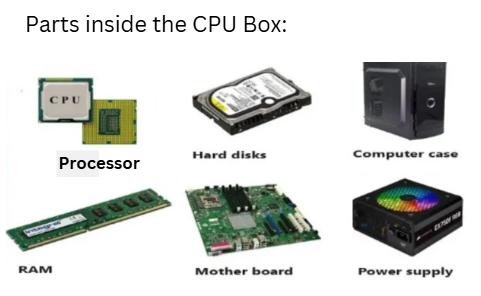
He was very curious. The first thing he did was open the CPU cabinet and look at all the parts inside. He carefully removed each component, understood what it was used for, and assembled everything back again. This is how he learned about the motherboard, RAM, hard disk, CD drive, and power supply. Once the computer was switched on, Tamil started exploring it on his own.
He learned how to:
- Create, save, copy, and delete files and folders
- Install and uninstall software
- Use Microsoft Word, Microsoft Excel, and Microsoft PowerPoint
- Create videos using Windows Movie Maker
- Connect the computer to the internet
- Search for information online
- Create an email account
- Send emails with attachments
For his college project, he collected information from the internet, prepared the report in Word, created a presentation in PowerPoint, and wrote all the files to a CD. Apart from academics, he also enjoyed the entertainment side of the computer. He connected speakers, downloaded songs and videos, played them and copied audio and video files to CDs, DVDs, and pen drives.
This was Tamil's first real introduction to computers. What started as curiosity gradually became a strong foundation in technology, and that foundation later helped him build a successful career in IT.
Tamil's Curious Questions
After using his computer for some time, Tamil started wondering about something interesting. When he powered on his computer, he could see only one operating system—Microsoft Windows. But when he checked the system resources, he noticed that:
- A lot of hard disk space was still free (C: drive, D: drive)
- Plenty of RAM was unused
- CPU utilization was often very low
This made him think:
"My computer has so many unused resources. Why am I running only one operating system? Is there any way to use this free CPU, RAM, and storage to run two or more operating systems at the same time on the same computer?"
This simple question sparked Tamil's curiosity and that curiosity eventually led him to the path of discovering one of the most powerful technologies in the IT world: VMware.
Tamil's First Job as a Desktop Support Engineer
After completing his engineering degree in 2019, Tamil joined a small institute to study hardware and networking. Soon after, he got his first job as a Desktop Support Engineer in the year 2019.
This was where his real IT journey began. Tamil was responsible for supporting users across three floors of the office. His daily work included assembling computers, installing Microsoft Windows, troubleshooting hardware problems, installing basic software such as Microsoft Office, taking backups, configuring printers and scanners, maintaining IT assets, and resolving network issues.
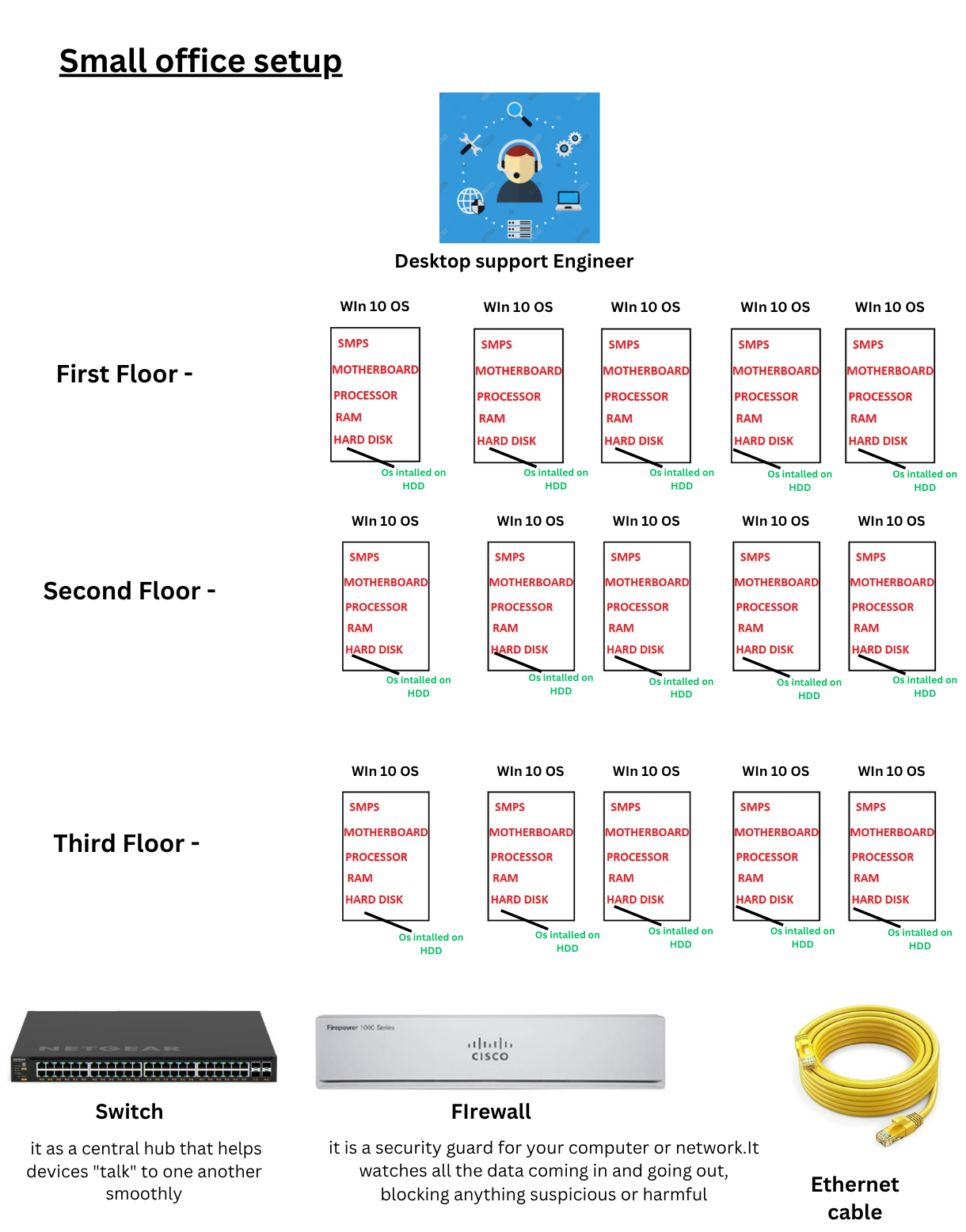
Whenever a user faced a problem—even something as simple as a printer issue or a slow computer—Tamil had to walk to the user's desk and fix it manually. There was no centralized management, so most of his time was spent moving from one floor to another attending support calls.
Until 2022, Tamil worked in this role and gained strong hands-on experience in hardware, operating systems, networking, and user support.
During this time, one thought stayed in his mind:
"Is there a better way to manage all these computers from one central location?" That question would eventually lead him to the world of servers and, later, VMware.
Tamil's Next Step: Becoming a Server Administrator
After working as a Desktop Support Engineer until 2022, Tamil wanted to move to the next level in his IT career.
While working in desktop support, he spent his free time learning server technologies. He studied how to install Microsoft Windows Server and gained hands-on knowledge in:
- Active Directory
- Domain Management
- User and Group Administration
- DNS and DHCP
- Group Policy (GPO)
- Authentication and Authorization
- Networking and Security
- Backup and Recovery
- PowerShell
- Remote Administration
- Monitoring and Troubleshooting
- High Availability
- Hyper-V
Joining a New Company:
With this knowledge, Tamil joined a small company as a Server Administrator in 2022.
This was his first opportunity to work in a real server environment.
The Server Room Setup
The company had around 60 users, and all systems were connected to a domain.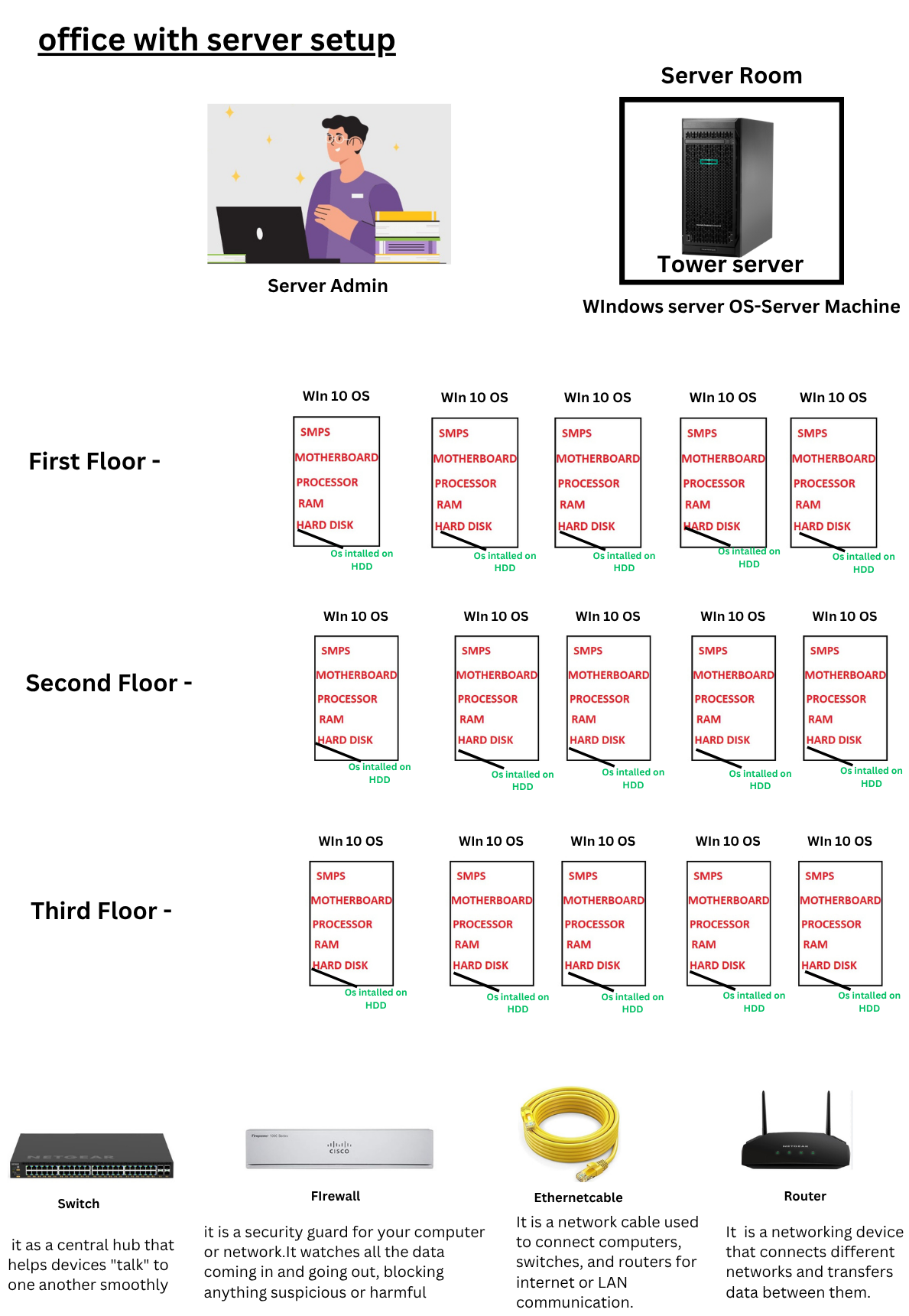
The server room included:(The setup may vary depending on company requirements)
| Server / Device | Purpose |
|---|---|
| Primary Domain Controller | User authentication and domain management |
| Additional Domain Controller | Redundancy and failover for Active Directory |
| File Server | Centralized file and folder sharing |
| Microsoft IIS Server | Website and web application hosting |
| DNS Server | Name resolution |
| DHCP Server | Automatic IP address assignment |
| HRMS Application Server | HR management application hosting |
| Tally Server | Accounting application management |
| Standalone Tally & eSSL Server | Attendance and standalone accounting services |
| Backup Server | Backup and recovery operations |
| NAS Storage | Centralized shared storage |
| Print Server | Printer management |
| WSUS Server | Windows patch management |
| Antivirus Management Server | Centralized antivirus management |
| VPN Server | Remote secure access |
| Monitoring Server | Infrastructure monitoring and alerts |
| Internet Connection | External network connectivity |
| Router | Network routing between networks |
| Firewall | Network security and traffic filtering |
| Switches | LAN connectivity between devices |
Tamil's Responsibilities
Tamil was responsible for managing the company's entire server environment.
His daily tasks included:| S.No | Daily Tasks |
|---|---|
| 1 | Creating and disabling user accounts |
| 2 | Resetting passwords |
| 3 | Managing shared folders and permissions |
| 4 | Applying Group Policies |
| 5 | Monitoring server health |
| 6 | Installing operating systems and applications |
| 7 | Performing patch updates |
| 8 | Taking backups and restoring data |
| 9 | Managing storage on file servers and NAS |
| 10 | Troubleshooting server and network issues |
What Tamil Learned
Tamil learned how companies manage users, systems, and services centrally using servers like Primary DC, Additional DC, DNS, DHCP, File Server, and many more. But while working in the server environment, several questions started running in his mind.
“Why are we maintaining separate physical servers for every service?”
“Each server costs lakhs of rupees, but are we really using the full CPU, RAM, and storage?”
“Why should the remaining resources stay unused and wasted?”
“And in a normal physical machine, why can we run only one operating system at a time? Is there a way to run multiple operating systems on the same hardware?”
Tamil searched for answers to all these questions.
The answer was VMware and Virtualization.
Now let us enter the world of VMware and see how Tamil’s questions were solved through virtualization technology.